On this page
What happens when an order is canceled after your warehouse has already created a fulfillment for it? Shopify cancels the order, but nobody on your team is told that a parcel may already be packed or with the carrier. This Shopify Flow tutorial uses Shopify Sidekick and FlowSend to send an internal alert whenever a canceled order has one or more fulfillment records.
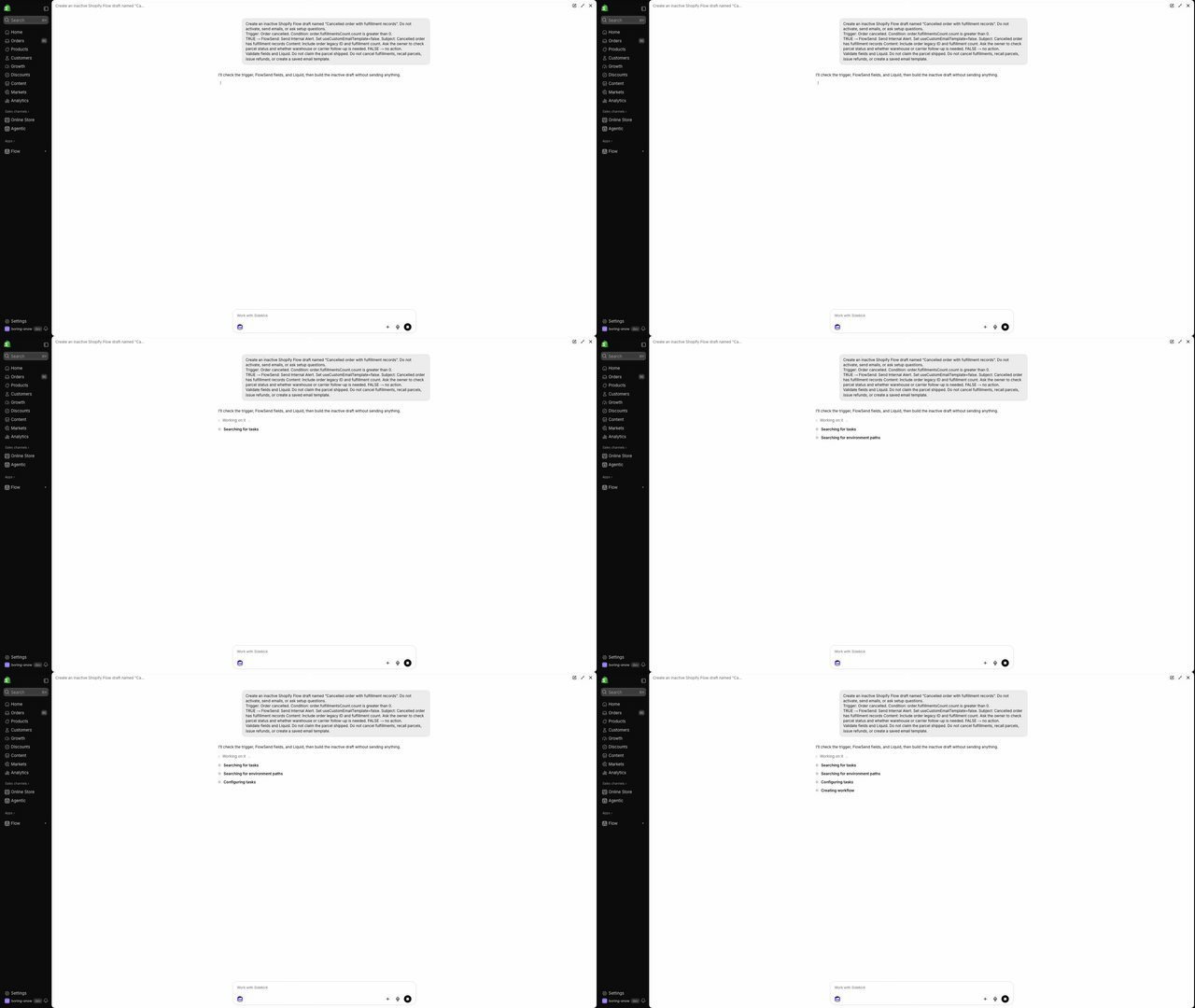
FlowSend is a Shopify Flow mail app from Final Apps. It sends branded transactional emails from a Flow workflow, using your own domain or SMTP provider. Here, FlowSend's Send Internal Alert action emails your team the order number, legacy ID, and fulfillment count, so someone can check the parcel status and decide whether the warehouse or carrier needs a follow-up.
The workflow never cancels fulfillments, recalls parcels, or issues refunds. A fulfillment record also does not prove the parcel has left the building — it only shows that a fulfillment was created.
What this workflow does
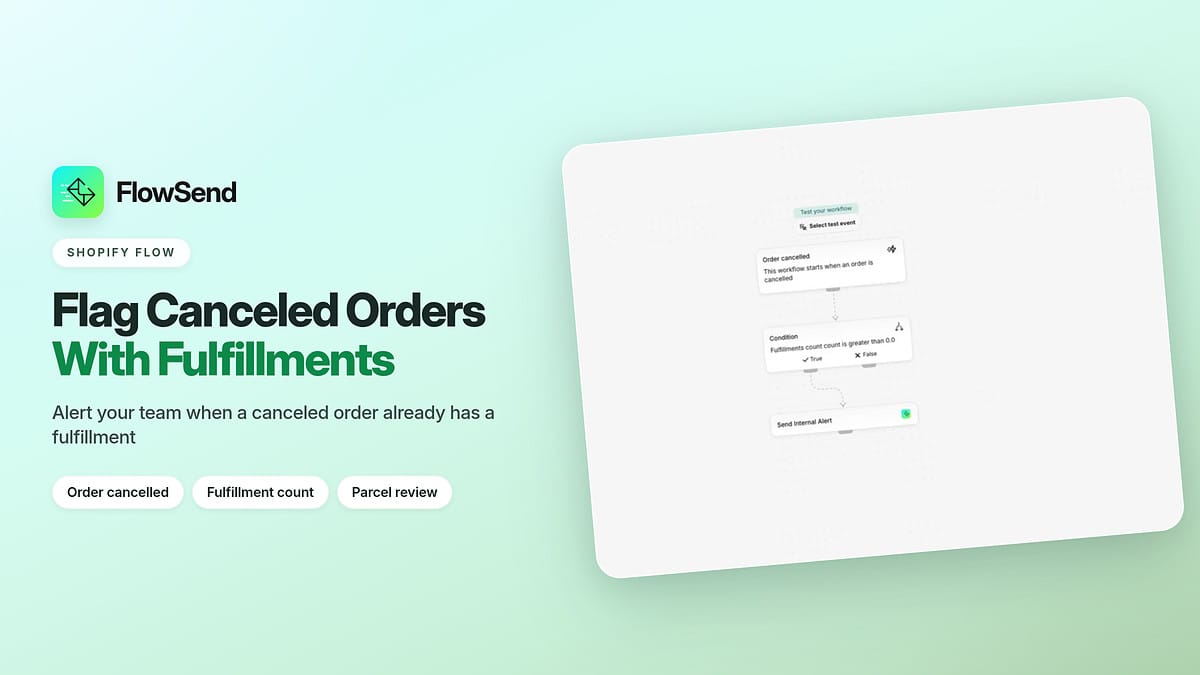
The workflow starts from Order cancelled, which runs each time an order is canceled. The condition has one check: the order's fulfillments count is greater than zero.
A canceled order with no fulfillment is simple and follows the false branch, which has no action. Once a fulfillment record exists, the warehouse may already have picked, packed, or labeled the parcel. Someone needs to look before acting.
If the condition is true, FlowSend sends one internal alert with the subject Cancelled order has fulfillment records. The message includes:
- The order name and legacy ID
- The fulfillment count
- A request to check the parcel status and whether warehouse or carrier follow-up is needed
- A note that this is an automated alert and that no fulfillment changes, parcel recalls, or refunds were made
The custom email template stays off. FlowSend uses inline alert content and does not create a saved template.
In the Shopify Flow editor, the draft is named Cancelled order with fulfilment records, using the spelling shown in the admin.
Before you start
You will need:
- A Shopify store with FlowSend installed. The listing and these walkthroughs note that you can get started for $1 for the first month.
- Shopify Flow, which is what triggers and runs the workflow.
- Access to Shopify Sidekick in your admin, so you can paste the prompt below.
- The warehouse or staff email you want the alert to reach. Configure that recipient before you use the workflow.
Step 1. Paste the Sidekick prompt
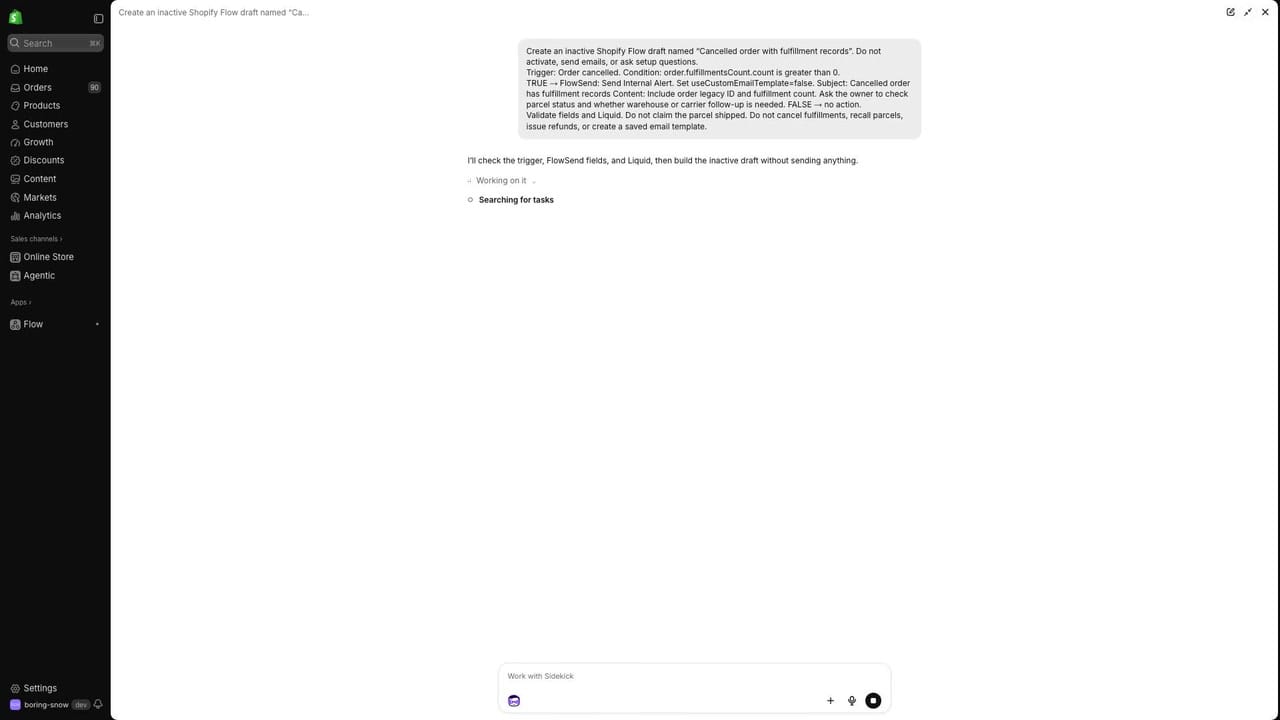
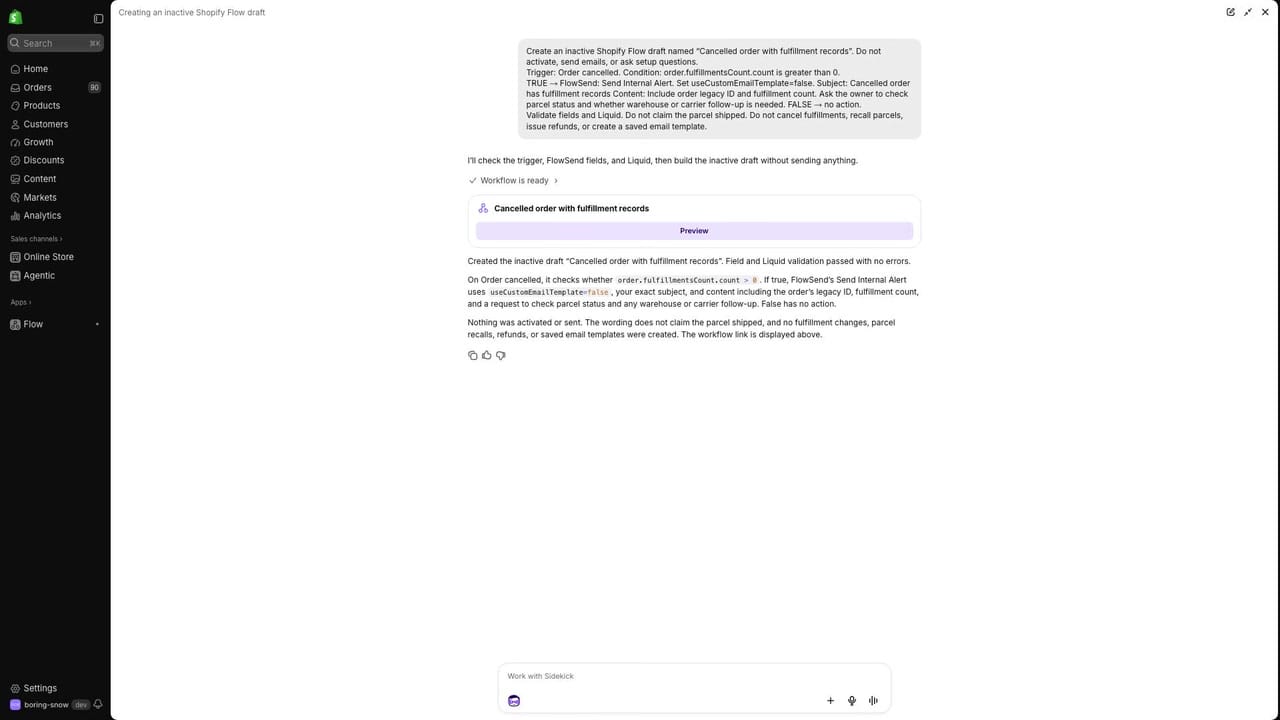
Open Sidekick in your Shopify admin and paste this prompt, which is the one used in the walkthrough. It asks Sidekick to create an inactive draft named "Cancelled order with fulfillment records," without activating the workflow, sending emails, or asking setup questions.
Create an inactive Shopify Flow draft named “Cancelled order with fulfillment records”. Do not activate, send emails, or ask setup questions.
Trigger: Order cancelled. Condition: order.fulfillmentsCount.count is greater than 0.
TRUE → FlowSend: Send Internal Alert. Set useCustomEmailTemplate=false. Subject: Cancelled order has fulfillment records Content: Include order legacy ID and fulfillment count. Ask the owner to check parcel status and whether warehouse or carrier follow-up is needed. FALSE → no action.
Validate fields and Liquid. Do not claim the parcel shipped. Do not cancel fulfillments, recall parcels, issue refunds, or create a saved email template.
Step 2. Let Sidekick validate and create a draft
Sidekick checks the trigger, the FlowSend fields, and the Liquid, then creates the workflow. When it finishes, you should see Workflow is ready and a preview card for Cancelled order with fulfillment records.
In the walkthrough, Sidekick confirms that field and Liquid validation passed with no errors, that nothing was activated or sent, and that the wording does not claim the parcel shipped. No fulfillment changes, parcel recalls, refunds, or saved email templates were created.
Step 3. Open the draft in Flow
Open the draft from Sidekick's preview link. The workflow is saved as a draft and stays switched off until you turn it on.
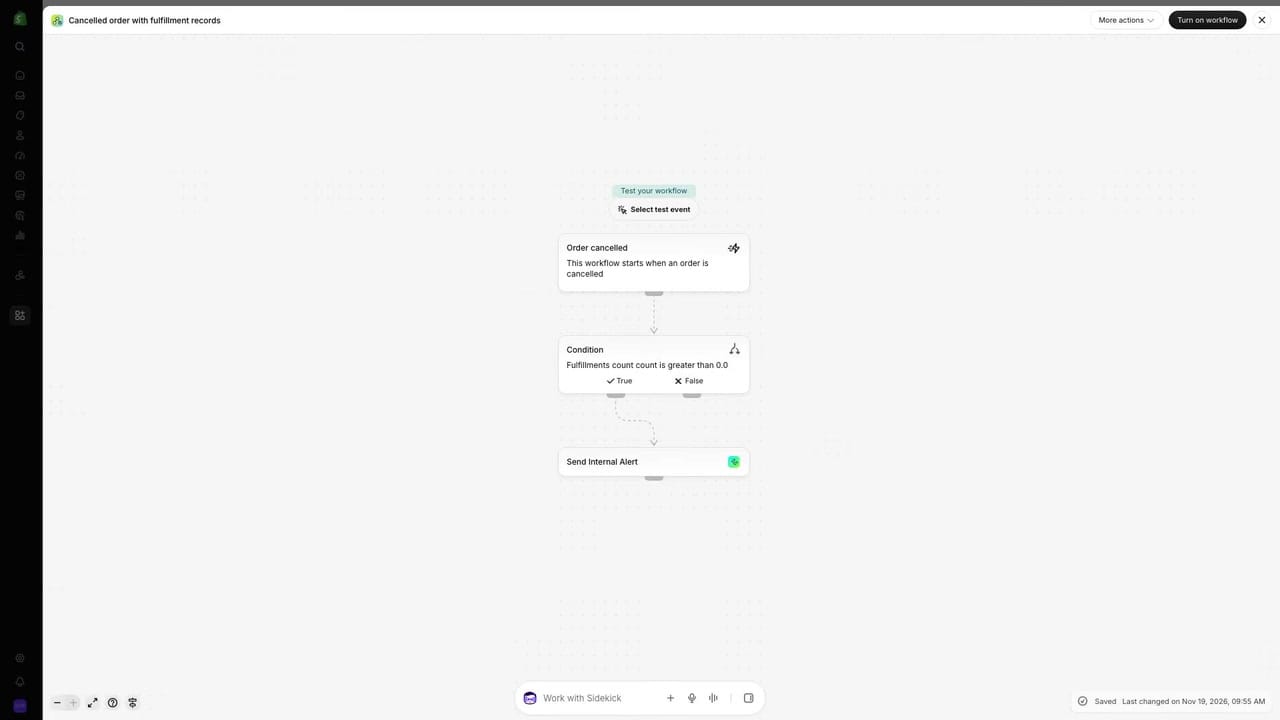
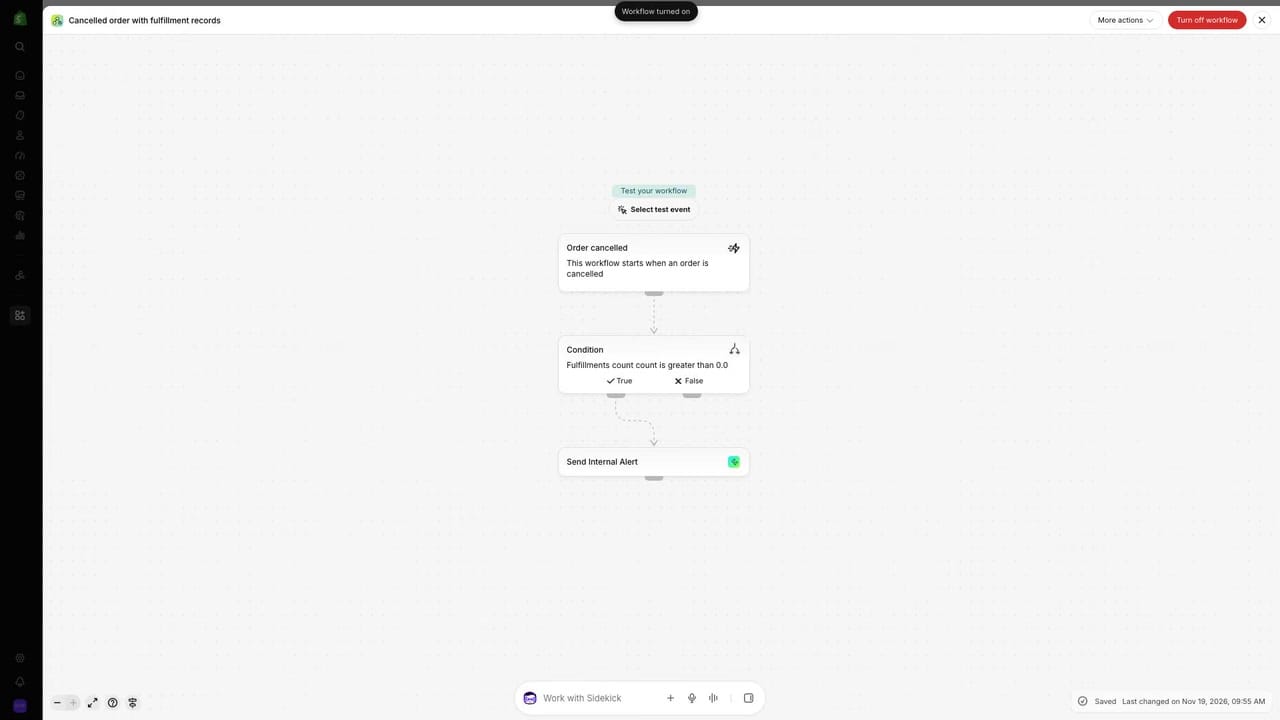
The canvas has three steps:
- Order cancelled — this Shopify trigger runs each time an order is canceled.
- Condition — "Fulfilments count count is greater than 0.0."
- Send Internal Alert — FlowSend's internal alert action, on the true branch only.
Step 4. Check the fulfillments count condition
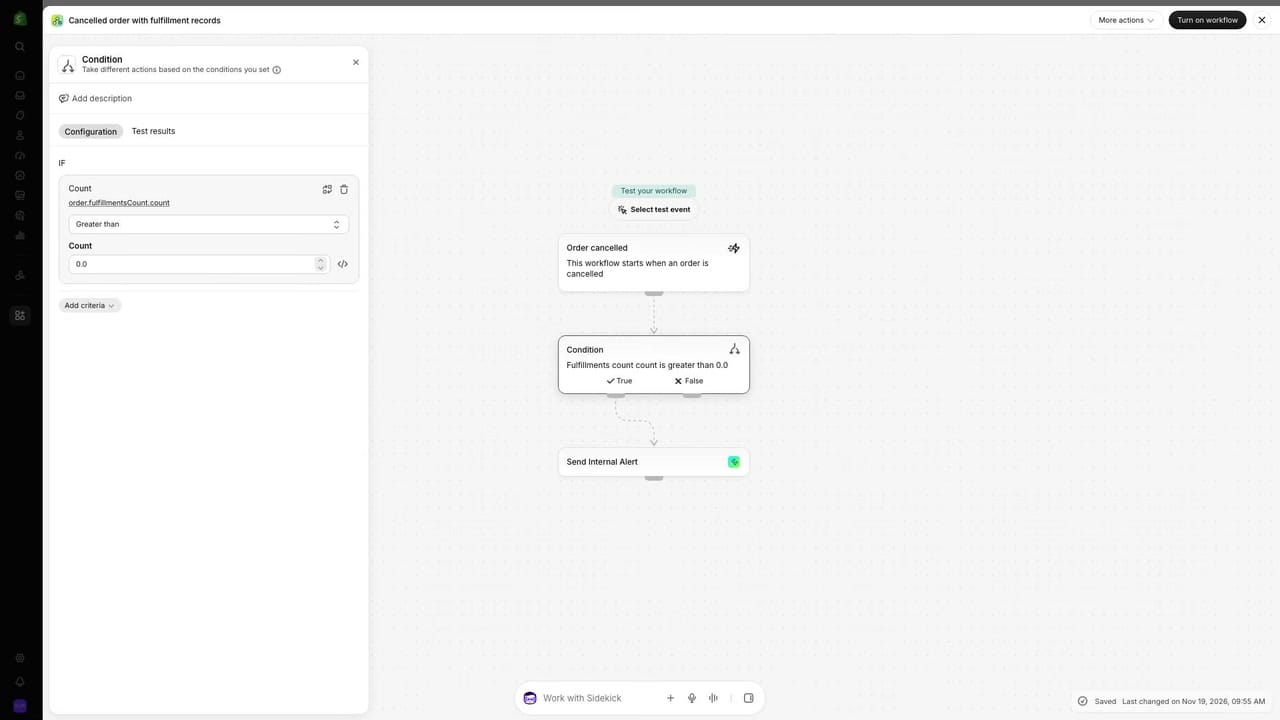
Click the condition to confirm the check. In the walkthrough it is set to:
- Count (
order.fulfillmentsCount.count) - Greater than
- 0.0
Only a canceled order that already has at least one fulfillment record follows the true branch.
Step 5. Review the FlowSend internal alert
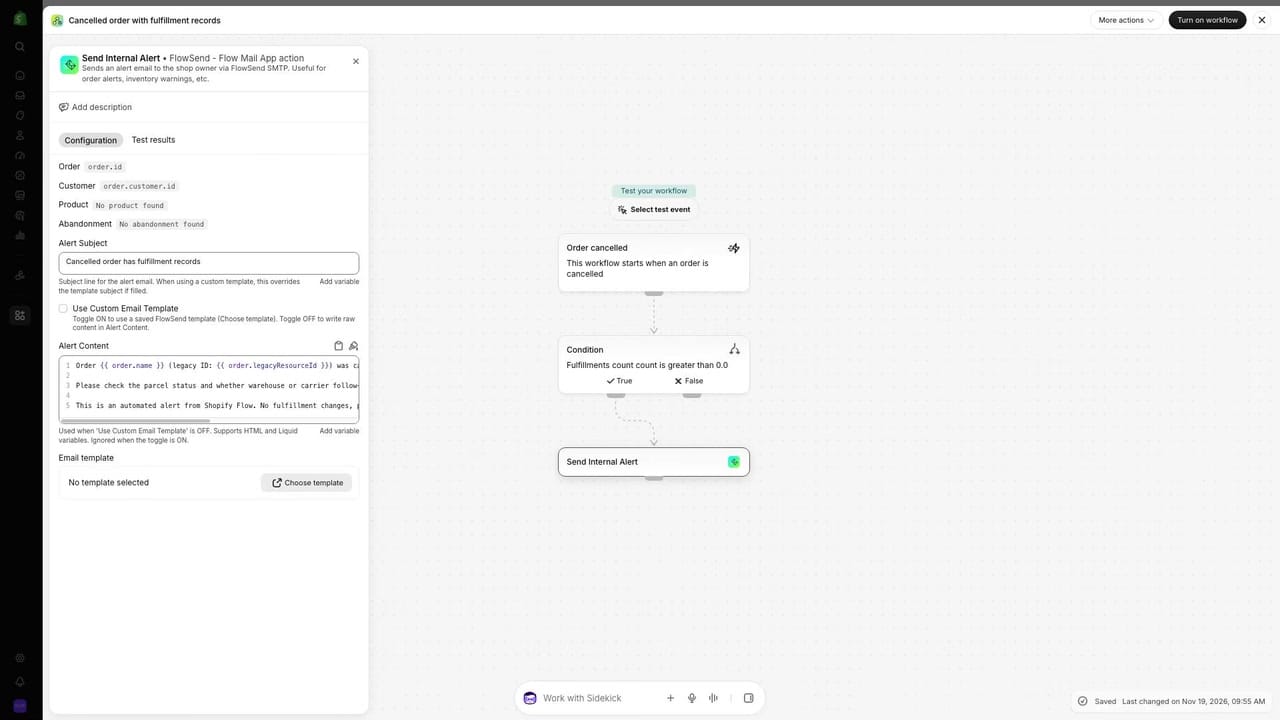
Open the Send Internal Alert action. The UI describes it as a FlowSend action that sends an alert email to the shop owner via FlowSend SMTP.
In the walkthrough:
- Alert Subject is
Cancelled order has fulfillment records. - Use Custom Email Template is left off, so FlowSend uses the inline Alert Content instead of a saved template.
- The content includes the order name and legacy ID, a request to check the parcel status and any warehouse or carrier follow-up, and a note that no fulfillment changes, parcel recalls, or refunds were made.
- Email template stays on "No template selected."
Step 6. Turn the workflow on yourself
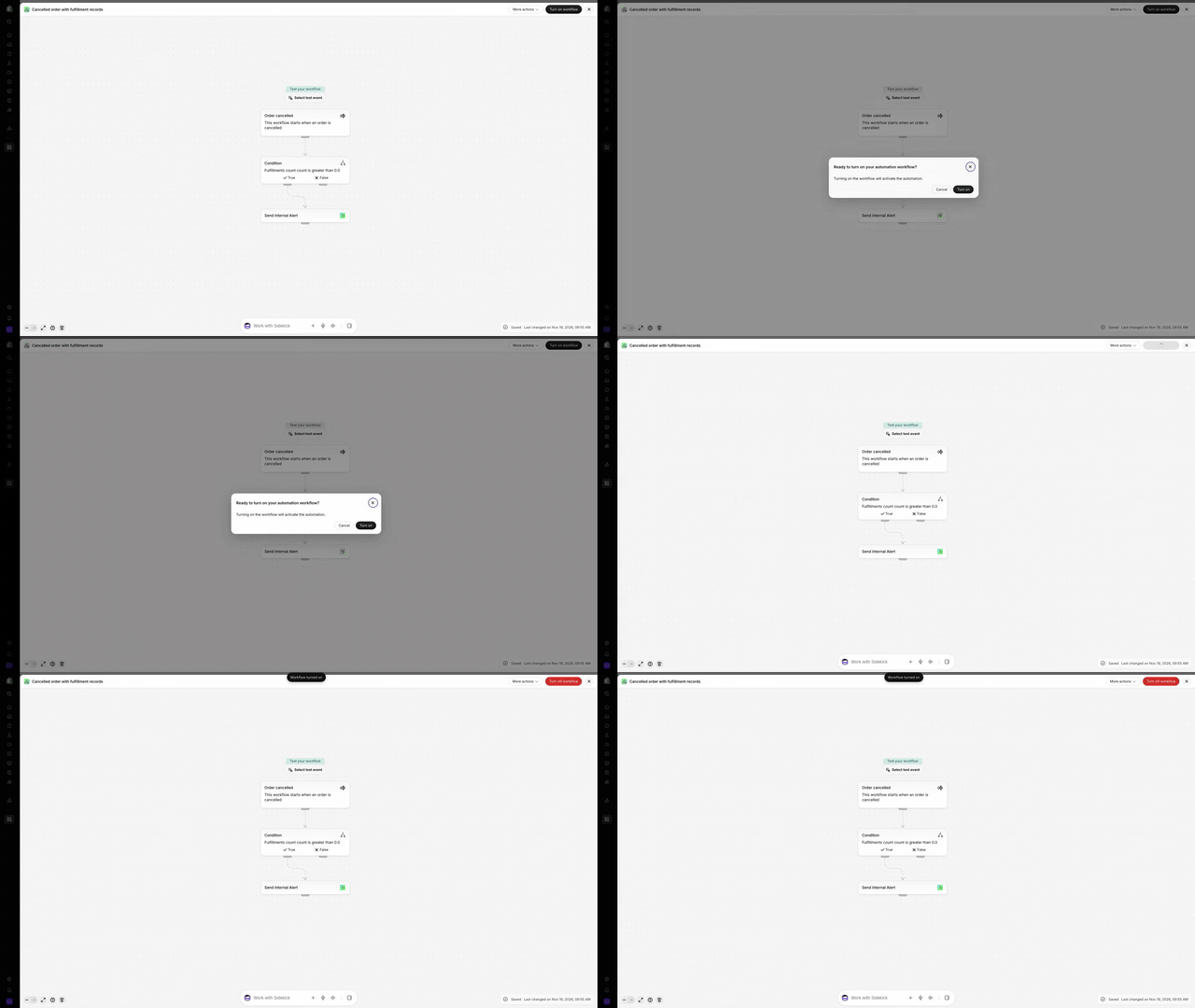
Sidekick leaves the workflow off, as the prompt requested. Review the trigger, condition, and alert content first, and set the warehouse or staff recipient you actually want to notify. Then click Turn on workflow, confirm the dialog, and wait for the Workflow turned on confirmation.
Frequently asked questions
Does a fulfillment record mean the parcel has shipped?
No. The record only shows that a fulfillment was created. The warehouse may have picked, packed, or labeled the parcel, but that is not proof it has left the building. The alert asks your team to check first.
Does this cancel the fulfillment, recall the parcel, or issue a refund?
No. The workflow only notifies your team. It never cancels fulfillments, recalls parcels, or issues refunds, and the alert wording does not claim the parcel shipped.
What happens if the canceled order has no fulfillments?
The fulfillments count is not greater than zero, so the workflow follows the false branch and takes no action.
Does FlowSend create a saved email template for this alert?
No. Use Custom Email Template stays off, and the walkthrough does not create a saved template. The subject and body are written inline on the Send Internal Alert action.
How much does it cost to get started?
FlowSend is free to install on the Shopify App Store. At the time of writing, the listing and these walkthroughs offer a $1 first month to get started (the current listing describes this as a BFCM offer, with Professional at $9.99/month, Advanced at $29.99/month, and Enterprise at $49.99/month or $499.99/year after that). Pricing can change, so check the FlowSend listing for the plan that fits your store.
Start flagging canceled orders that already have fulfillments
Install FlowSend, paste the Sidekick prompt, review the inactive draft in Flow, and turn it on when the alert looks right. Your team can then check parcel status before anyone assumes a shipment needs to be recalled or refunded.
Install FlowSend on the Shopify App Store — get started for $1.